
Part I — The real session
Case File 01 — Vibe Coding · 9 October 2026
From Idea to Interactive Experience
LaunchLab: Claude Design, Claude Code, GitHub, and Vercel
How AI-powered tools can help you design, build, and deploy digital products — without needing to write every line of code yourself.
Meet the Speakers
Students at Singapore American School

Rishabh
Grade 12 student interested in entrepreneurship and engineering. Leads student initiatives including EcoBean, Project Wish, and the CFA Club.
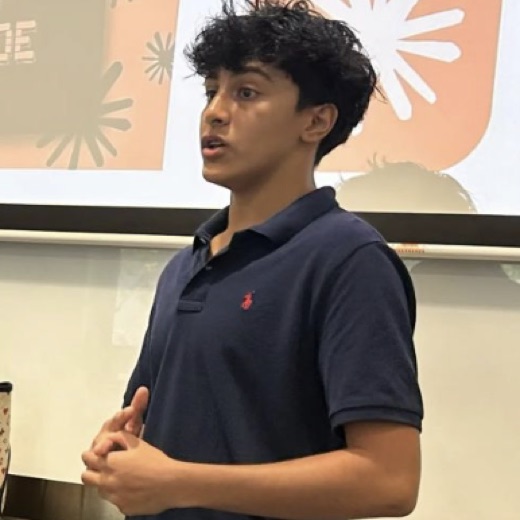
Nirvan Anand
AI enthusiast and Code for All officer. Developed a vibe-coding curriculum for underprivileged youth.

Yibo Yang
Founder of OpenSkills, an applied AI education nonprofit. Focuses on making AI education more accessible and has raised over SGD 5,600 for philanthropic initiatives.
Key Learnings
5 ideas to take away
- 01
Prompting & Design
Use specific prompts to define your website's purpose, audience, layout, and visual identity. Claude Design helps create the visual concept before coding begins.
- 02
Build with AI
Claude Code can turn designs and natural-language instructions into functional applications, while helping execute workflows and debug problems.
- 03
GitHub & Collaboration
Understand repositories, forks, clones, commits, pushes, pull requests, and merges to manage versions and collaborate effectively.
- 04
Deploy with Vercel
GitHub stores and manages the code; Vercel builds and hosts the website. Connecting them allows deployments to update when changes are pushed.
- 05
Backend with Supabase
Supabase provides backend services such as authentication and databases, allowing websites to support user accounts and persistent data.
The creator’s field notesRead my full notes from this session
Written by the creator during the real session — not AI-generated.
Key concepts and frameworks
Vibe coding and prompt engineering: Using detailed natural-language instructions to communicate requirements to AI coding tools. Effective prompts specify the role, objective, target audience, pages, functionality, design style and expected output.
Claude Design: Creating the visual structure and appearance of a website before implementing its functionality.
Claude Code: An agentic coding tool that can work across a codebase, execute commands and help identify and fix errors.
The design-build-deploy workflow: Design the interface, implement the website, and deploy the finished product.
GitHub and repositories: Storing project files, maintaining version history, sharing work and collaborating.
Git terminology: Fork, clone, commit, push, pull request and merge, including the distinction between saving changes locally and uploading them to GitHub.
GitHub versus Vercel: GitHub stores and manages code, while Vercel builds and hosts the website. Connecting them enables automatic deployment when changes are pushed.
Frontend file structure: HTML defines content and structure, CSS controls styling and layout, and JavaScript controls interactive behaviour.
Backend functionality and APIs: A static website cannot automatically remember users or access live information. Authentication and other dynamic features require communication with backend services.
Authentication and tokens: Sign-up, login and logout involve requests to a backend. Tokens allow a website to recognise an authenticated user without repeatedly requesting their password.
Supabase: A backend-as-a-service platform that supports authentication, verification, databases and application statistics.
Iteration and debugging: AI-assisted development involves testing, identifying errors, refining code and checking that the finished website functions as intended.
Detailed notes, examples and explanations
Part 1: Designing and building with AI
The session introduced Claude Design as a way to create a website's visual shell without writing code manually. The design can then be handed off to Claude Code, which helps turn the visual concept into a functioning website.
Prompt quality is important. Instead of asking an AI to create a generic website, a detailed prompt should specify the role of the AI, the objective, target audience, required pages, key features, visual style and expected deliverables. The example in the presentation was a 15-lesson vibe-coding course website with a landing page, curriculum, lesson template, about page and resources page.
Claude Code was presented as an agentic coding system that can read project files, execute commands, run workflows and help debug errors. It can also assist with refactoring code and maintaining context across a development session.
Part 2: Version control and deployment
GitHub acts as the online home for a project's source code and its history. A repository stores the project files.
- Fork: Create your own copy of another person's repository.
- Clone: Copy a repository onto your computer.
- Commit: Save a snapshot of changes locally.
- Push: Upload committed changes to GitHub.
- Pull request: Propose changes for review before they are merged.
- Merge: Combine approved changes into the main project.
Vercel connects to a GitHub repository, builds the project and hosts it at a public URL. When new code is pushed, Vercel can automatically rebuild and update the live website. Pull requests can also receive preview deployments.
The presentation also explained that Lovable can connect directly to GitHub through its settings, synchronising the project's code without requiring the manual workflow demonstrated for Claude Code.
Part 3: Frontend, backend and authentication
The three basic web files introduced were:
- index.html: Content and structure.
- styles.css: Colours, typography, spacing and responsive layout.
- script.js: Interactive behaviour, such as button clicks and form submissions.
A basic static website has limitations: it does not automatically retain user identities or saved game progress, and it cannot retrieve live information unless connected to an appropriate service.
Authentication involves creating a user record during sign-up, verifying credentials during login, and using a token to recognise the authenticated user. Logging out removes the active authentication token.
Supabase was introduced as a backend-as-a-service platform that can provide authentication, verification, database functionality and statistics. It can work alongside tools such as GitHub, Vercel and Lovable.
Part 4: Applying the workflow
The session's assignment is to create a website containing a separate tab for each guest speaker session during the semester. Each tab should contain an interactive game that reinforces what was learned in that session.
The intended workflow is to use AI-assisted development tools to create the experience, use GitHub to manage the code, deploy through Vercel, and incorporate backend functionality where necessary.
For my own project, this means building a reusable website structure where new session content and interactive learning activities can be added without rebuilding the entire website each time.
Most important takeaways
- AI can substantially reduce the technical barrier to building digital products, but the quality of the result depends on how clearly the requirements are communicated.
- A detailed prompt should describe the intended user experience, required functionality and expected output rather than just the general idea.
- Designing, building, version-controlling and deploying a website are separate stages that can be connected into one workflow.
- GitHub and Vercel serve different purposes: one manages the code and its history, while the other deploys and hosts the website.
- A visually convincing prototype is not necessarily a functional product. Buttons, forms, authentication, saved data and other interactive features must be implemented and tested.
- AI-generated code still requires iteration, debugging and verification.
- Building a dynamic product often requires backend services, particularly when the website must store information, recognise users or retrieve live data.
- The practical application is to start with a clear concept and working prototype, then progressively add functionality and deploy it.
Questions I’m still working through
- How do I decide whether a project needs only a frontend or also requires a backend and database?
- What is the best way to structure prompts so AI-generated websites are both visually accurate and functionally complete?
- How should API keys and other sensitive credentials be stored securely when building an AI-powered website?
- How do I troubleshoot deployment failures or errors that AI coding tools cannot resolve automatically?
- When should I use Supabase or another backend service instead of relying on local browser storage?
- How can I test whether an AI-generated application is genuinely functional, reliable and ready for users?
The Launch That Looked Finished
MendTrail Studio — hypothetical company · Community repair education
MendTrail Studio is a hypothetical company launching interactive repair lessons for community workshops. Its small team used Claude Design for the interface, Claude Code for implementation, GitHub for project history and Vercel for hosting. The demonstration looked polished, and the deployment dashboard showed success. Yet workshop testers reported that the public lesson button did nothing, returning learners lost progress, and login appeared successful even with invented credentials. Meanwhile, a developer demonstrated a working lesson button on their laptop. With a partner demonstration approaching, the team must distinguish an outdated release from incomplete functionality rather than rebuild everything. All company details, events, measurements and project artifacts in this case are hypothetical; source quotations in the debrief come directly from the submitted notes.
Your mission
Reconcile the conflicting evidence, identify separate causes of the failures, and recommend a staged repair and verification plan. A successful build, a polished screen and a working local interaction may establish different things.
Review the real session facts and key learnings above before solving this fictional case. The investigation is hypothetical and designed to help you apply what you learned.
5 leads · 4 exhibits · Final diagnosis